



Artificial intelligence has completely reshaped modern software development, moving beyond simple autocomplete into autonomous code generation. While basic chat interfaces require constant copying and pasting, Cursor IO has emerged as one of the most powerful purpose-built AI code editors available today.
Built as an intelligent fork of VS Code, the platform understands entire repositories, diagnoses complex runtime errors, and refactors multiple files simultaneously. In this hands-on Cursor IO review, we break down its core capabilities, workflow advantages, and whether it is worth upgrading your development stack this year.
What Is Cursor IO?
At its foundation, Cursor IO is an AI-first integrated development environment (IDE) built directly on top of Microsoft’s open-source VS Code architecture. Because it preserves identical keyboard shortcuts, extensions, and workspace configurations, developers can migrate their entire workflow in seconds without a learning curve.
Unlike external chatbots or single-line completion plugins, the editor indexes your entire repository locally. It uses embeddings to grasp how different functions, database schemas, and microservices interact across your project files.
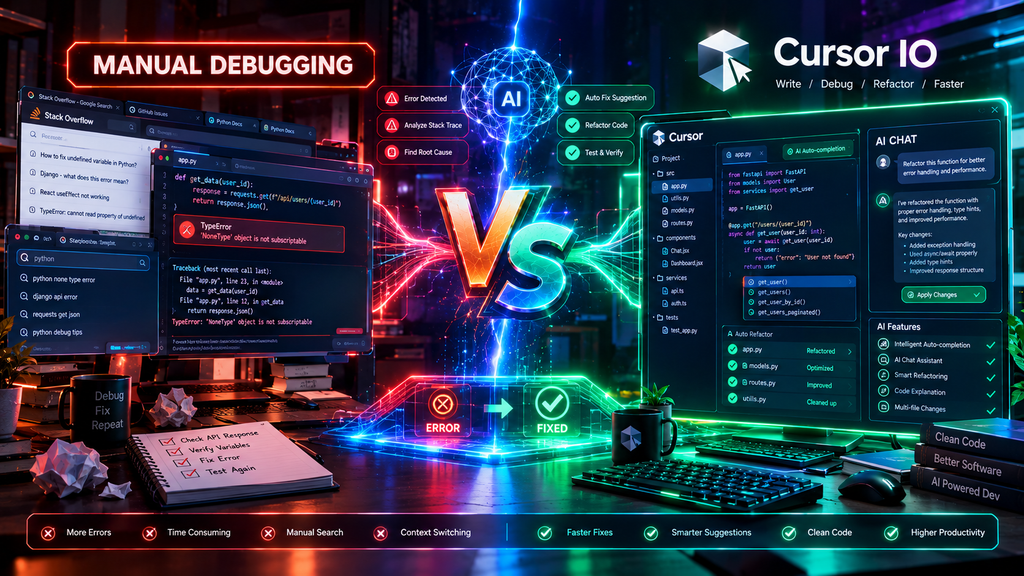
Feature Comparison: Autocomplete vs Full AI Editor
| Feature | Standard Autocomplete (Copilot) | Cursor AI Editor |
| Context Scope | Active file and adjacent tabs | Whole codebase semantic indexing |
| Multi-File Edits | Manual file-by-file generation | Automated multi-file refactoring (Composer) |
| Terminal Integration | Basic prompt assistance | Auto-debugs terminal errors directly |
| Model Selection | Locked to proprietary models | Toggle between Claude 3.5 Sonnet, GPT-4o, and o1 |
5 Standout Reasons to Choose This Editor
1. Full Codebase Indexing (@Codebase)
Traditional coding assistants frequently hallucinate because they lack knowledge of your custom utility classes or database models. With Cursor IO, you simply type @Codebase followed by a natural language question. The system vectorizes your project to pull the exact classes and logic needed for accurate answers.
2. Multi-File Composer Mode
The Composer feature allows you to describe architectural changes across your application. Instead of generating snippets for you to paste into separate files, the software creates, updates, and structures multiple files at once while presenting a visual git-diff for approval.
3. Native Terminal Error Fixing
When a build script crashes or a package fails to install, you can hit Ctrl+K directly in the integrated terminal. The AI analyzes the error log, identifies the root cause in your configuration, and offers a single-click patch to resolve the issue.
4. Seamless VS Code Extension Ecosystem
Because the application is built on VS Code, every theme, keybinding, Git client, and language server works out of the box. You do not have to abandon your favorite extensions or daily workflow habits.
5. Access to Leading AI Models
Rather than locking you into a single neural network, the platform lets users switch between Anthropic’s Claude 3.5 Sonnet, OpenAI’s GPT-4o, and advanced reasoning models based on the complexity of the task.
Connecting Your AI Workflow (Internal Links)
Building modern software often requires cross-referencing multiple AI tools across research and reasoning:
- For a deep comparison of raw reasoning performance and standalone subscriptions, read our breakdown of Claude Pro vs ChatGPT Plus.
- If you need real-time documentation search and live source citations while developing, check out our guide on the best conversational search engine options.
Cursor IO Pricing & Plan Breakdown
- Hobby (Free Tier): Includes 2-week Pro trial, 2,000 basic completions, and 50 slow premium requests per month.
- Pro Plan ($20/Month): Delivers 500 fast premium requests per month, unlimited slow requests, and priority multi-file Composer features.
- Business Plan ($40/User/Month): Adds centralized billing, privacy mode enforcement (zero data retention), and admin dashboard controls.
Final Verdict: Is It Worth It?
If you spend more than a few hours a week writing software, adopting Cursor IO provides a noticeable productivity boost over traditional plugins. Its whole-repository awareness and seamless multi-file editing make it one of the most capable tools in software engineering.
Frequently Asked Questions (FAQ)
Is Cursor IO completely free?
A functional free Hobby tier is available that includes unlimited standard completions and basic queries. For unlimited access to advanced reasoning models and fast multi-file editing, the Pro plan costs $20 per month.
Does Cursor IO store or train on private code?
A dedicated Privacy Mode is provided. When Privacy Mode is enabled in Cursor IO, none of your code is stored, indexed on remote servers, or used to train foundation models.
Can I import my existing VS Code setup?
Yes. During initial setup, the editor offers a one-click import that automatically transfers all of your installed extensions, keybindings, settings, and themes directly from VS Code.
Explore Related Guides
To get the most out of your artificial intelligence workflow, explore our hands-on guides across different AI domains:
- Coding & Reasoning Models: Compare how top models handle complex logic and code generation in our in-depth analysis of Claude Pro vs ChatGPT Plus.
- Real-Time Web Research: Find out which next-gen search tools deliver the most accurate, live web citations in our guide on the best conversational search engine platforms.
- Mobile & Productivity: Streamline daily tasks and voice-guided automation with our overview of top tools in the Top AI Chatbots hub.





1 Comment
[…] If your creative process involves custom software scripts or code snippets, see our in-depth Cursor IO review. […]